PostgreSQL
Squid は PostgreSQL database に接続し、Squid application の data source として使用できます。
PostgreSQL は reliability、feature robustness、performance を目的に設計された open source object-relational database system です。Squid を使用すると、PostgreSQL database に接続し、他の database connector の data と join することもできます。
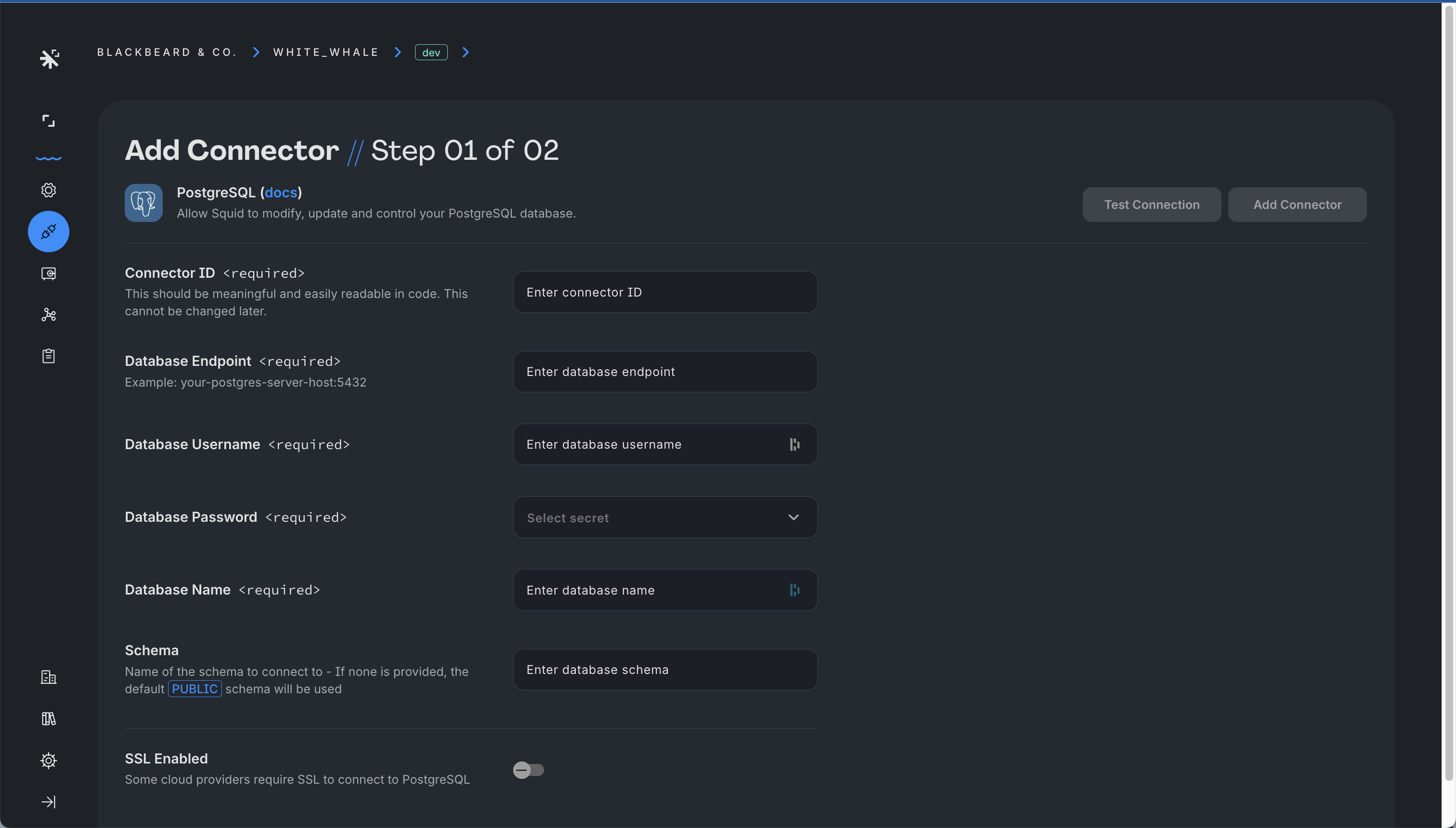
PostgreSQL database を Squid に接続するには、次の step を完了します。
- Squid Console を開き、PostgreSQL と使用する application を選択します。
- Connectors tab をクリックし、次に Available connectors をクリックします。
- PostgreSQL connector を選択します。
- 次の configuration information を入力します。
- Connector ID - 簡潔で connector の識別に役立つ ID を選択します。
- Database endpoint - port number を含む database host。
- PostgreSQL username
- PostgreSQL password - password を private に保つには、Squid Secrets に保存します。
- Schema - 接続する schema の name。指定しない場合は default の
publicschema が使用されます。 - Database name - 接続する database の name。
- SSL configuration(必要な場合)
connection information を入力したら、Test connection をクリックして connection が正しく構成されていることを確認します。
Database の保護
default では security rule が必要です。production environment では、security rule なしで connector への access を許可しないことが不可欠です。database data の保護について詳しくは、security rules documentationを参照してください。
次の table は、PostgreSQL と Squid 間の datatype mapping を示します。
| PostgreSQL Type | Squid Type |
|---|---|
| bigint | number |
| bit | string |
| bit varying | string |
| boolean | boolean |
| bytea | string |
| char | string |
| character | string |
| character varying | string |
| cidr | string |
| date | date |
| double precision | number |
| enum | string |
| inet | string |
| integer | integer |
| interval | string |
| json | map or array |
| jsonb | map or array |
| macaddr | string |
| macaddr8 | string |
| mediumint | integer |
| money | number |
| numeric | number |
| real | number |
| smallint | integer |
| text | string |
| time | string |
| time with time zone | string |
| time without time zone | string |
| timestamp | date |
| timestamp with time zone | date |
| timestamp without time zone | date |
| tinyint | integer |
| uuid | string |
| varchar | string |
Squid で PostgreSQL data を操作する方法については、Client SDK documentationを参照してください。