Squid Console
Squid Console は Squid を使用して作成された web-based management tool であり、user は Squid application を管理できます。
console で connector と AI agent を構成しながら、usage と performance metric を追跡できます。console は次の feature を提供します。
- Application の管理
- AI agent の作成と customization
- Connector の管理
- Authentication provider の setup
- Secret の管理
- Backend function の確認
- その他...
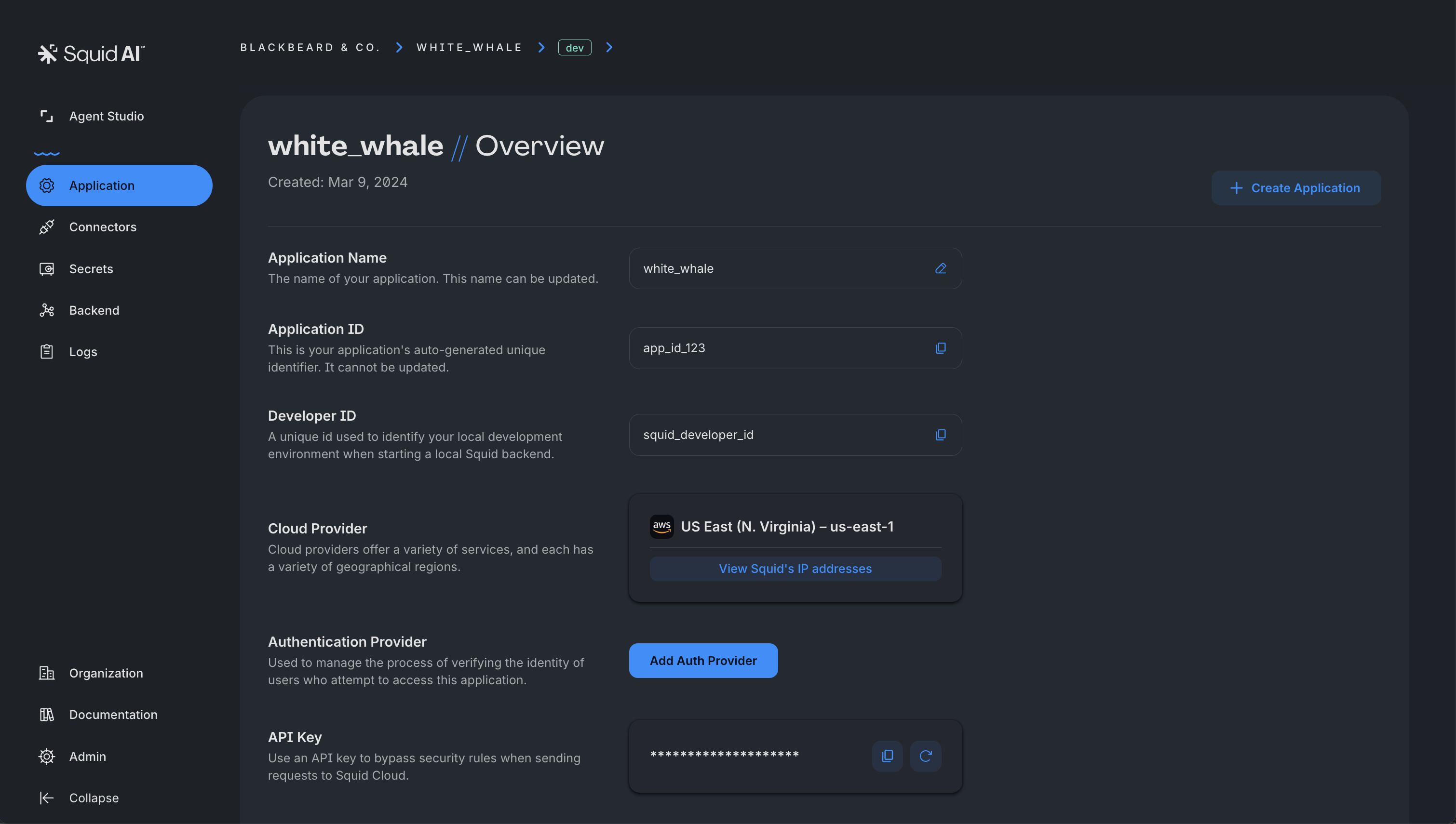
Application の管理
Squid Console は、すべての application を管理する centralized hub として機能します。application setting を効率的に monitor・control できる comprehensive application overview を提供します。
- Application Details: name、unique ID、assigned cloud region、associated API key を含む application の quick snapshot を取得します。
- API Key Generation: 各 application には backend service に安全に access するための unique API key が割り当てられます。console はこれらの key の automatic generation と management を容易にし、frontend と backend 間の secure communication を確保します。
- Observability Data: detailed observability と logging を通じて、application の performance と usage pattern に関する valuable insight を取得します。この data は Squid backend の deploy 後に表示されます。
- Application Creation & Deletion: 数回の click で、organization 内の新しい application の作成や既存 application の削除ができます。
AI Agent Studio
console の Agent Studio tab では AI agent を作成・customize できます。console は agent 管理用の user-friendly interface を提供し、code を書かずに agent を簡単に作成、edit、delete できます。
SaaS connector、knowledge base などを使用して agent の capability を強化し、complex workflow を自動化します。Squid AI では AI の power を活用し、application を次の level に高める intelligent agent を作成できます。
AI Agent Studio の詳細については、AI agent studio documentationを参照してください。
Console の Connector
Connector は Squid の提供の中心にあり、application を external resource に接続する powerful mechanism を提供します。これらの connector により、Squid application は database、API、SaaS service、authentication provider など、さまざまな external service と integrate できます。
Squid Console から connector を簡単に setup・manage でき、多数の tool と service に access できます。接続後、これらの resource は Squid SDK の一部としてすぐに利用可能になります。 詳細については、利用可能な connectorを参照してください。
Authentication Provider の Setup
authentication provider を Squid に接続することで、Squid application 内で secure かつ efficient な user authentication を有効にできます。Squid は複数の authentication provider をサポートし、setup process は Squid Console で簡単に管理できます。Squid は application と authentication provider 間の secure token exchange を確保し、unauthorized access と data breach を防止します。
Squid による authentication setup の基本については、authentication documentation を参照してください。利用可能な authentication provider の詳細については、docsを確認してください。
Secret の管理
secret management area では、API key、password、certificate などの sensitive data を安全に管理できます。
この feature は sensitive data の処理を簡略化しながら、organization の critical information に最高水準の security を提供するよう設計されています。authorized personnel は必要に応じて必要な secret を簡単に取得できます。
Squid の robust かつ versatile な secret management approach と、それが sensitive data の confidentiality と integrity の確保にどのように役立つかについて詳しく学んでください。
Backend Function の確認
Squid は versatile かつ robust な backend function を提供し、developer が幅広い powerful backend logic を作成できるようにします。これには database change により activate される trigger、data access を保護する security rule、cron expression に基づいて trigger される scheduler などが含まれます。
これらの function を簡単に categorize し、console で表示できます。さらに、console は各 backend function の performance に関する detailed metric を提供し、各 function の utilization に関する valuable insight を提供します。
多様な function type と performance metric を活用することで、application 固有の requirement に対応する sophisticated backend logic system を構築できます。backend function の詳細については、Backend SDKを参照してください。