AWS S3 storage
Connect your AWS S3 storage bucket to Squid
To access your AWS S3 storage bucket through Squid, first add the connector through the Squid Console.
-
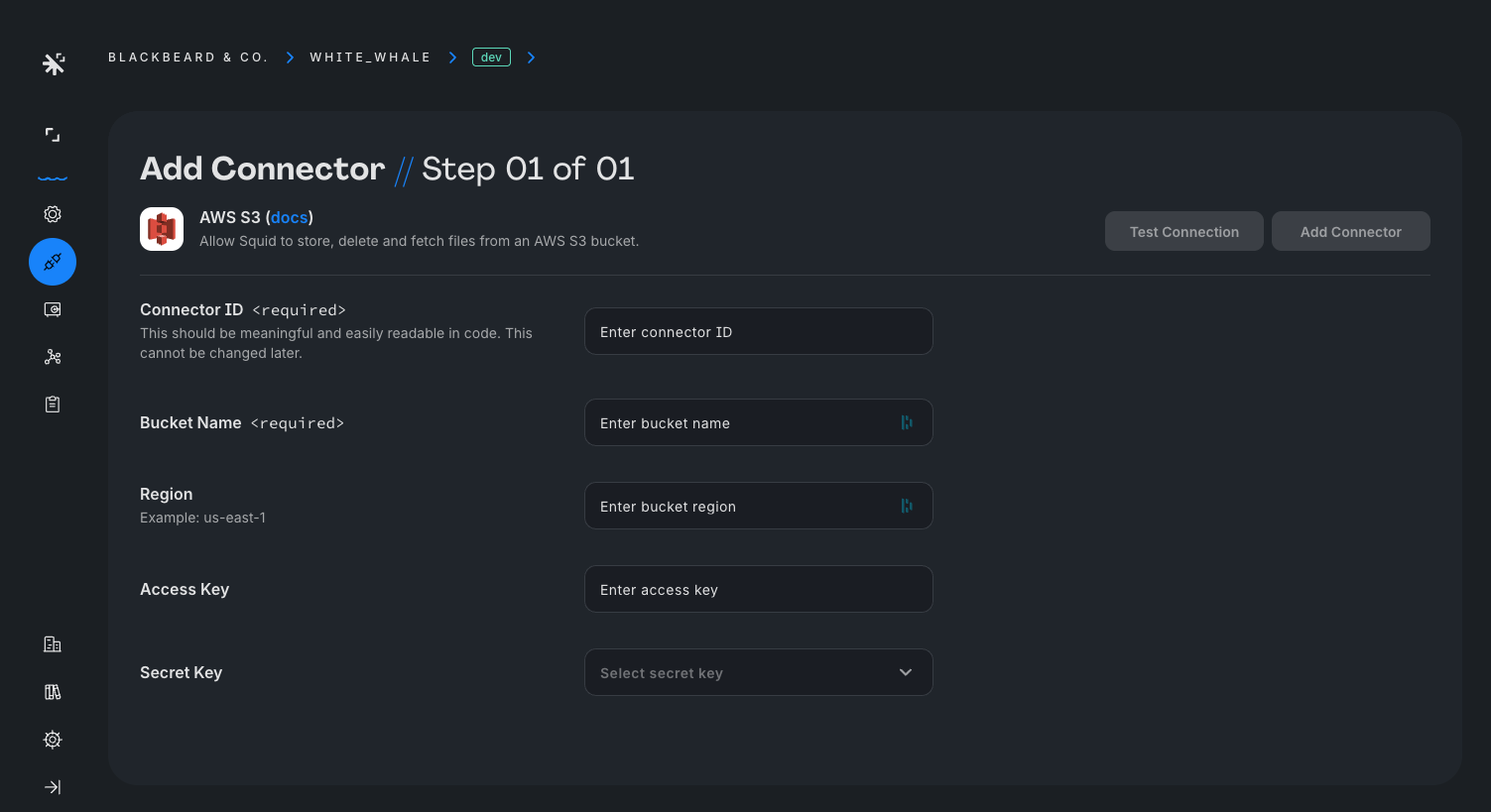
In the Squid Console, navigate to the Connectors page and select the AWS S3 integration.
-
Provide the following details:
- Connector ID - Choose an ID that is brief and helps identify the connector.
- Bucket name - The name of the S3 bucket to connect.
- Region - The region in which the bucket is located.
- Access key - Your AWS access key. To learn more about access keys, view the AWS docs.
- Secret key - Your AWS secret. This is securely stored in Squid Secrets.
-
Click Test connection to verify the connector information. Once verified, click Add connector.
To access the storage bucket from the client, create a reference to a Storage Client using the storage() method, passing your storage connector ID:
Client code
const topic = squid.storage('YOUR_STORAGE_CONNECTOR_ID');
With this storage instance, you can upload files, read metadata, generate download URLs, and download content. To learn more about managing files from the client, view the Squid storage documentation.