Confluent queues
Connect your existing Confluent Cloud Apache Kafka instance to Squid
To access your Confluent Cloud through Squid, first add the connector in the Squid Console.
-
In the Squid Console, navigate to the Connectors page and select the Confluent Kafka queue connector.
-
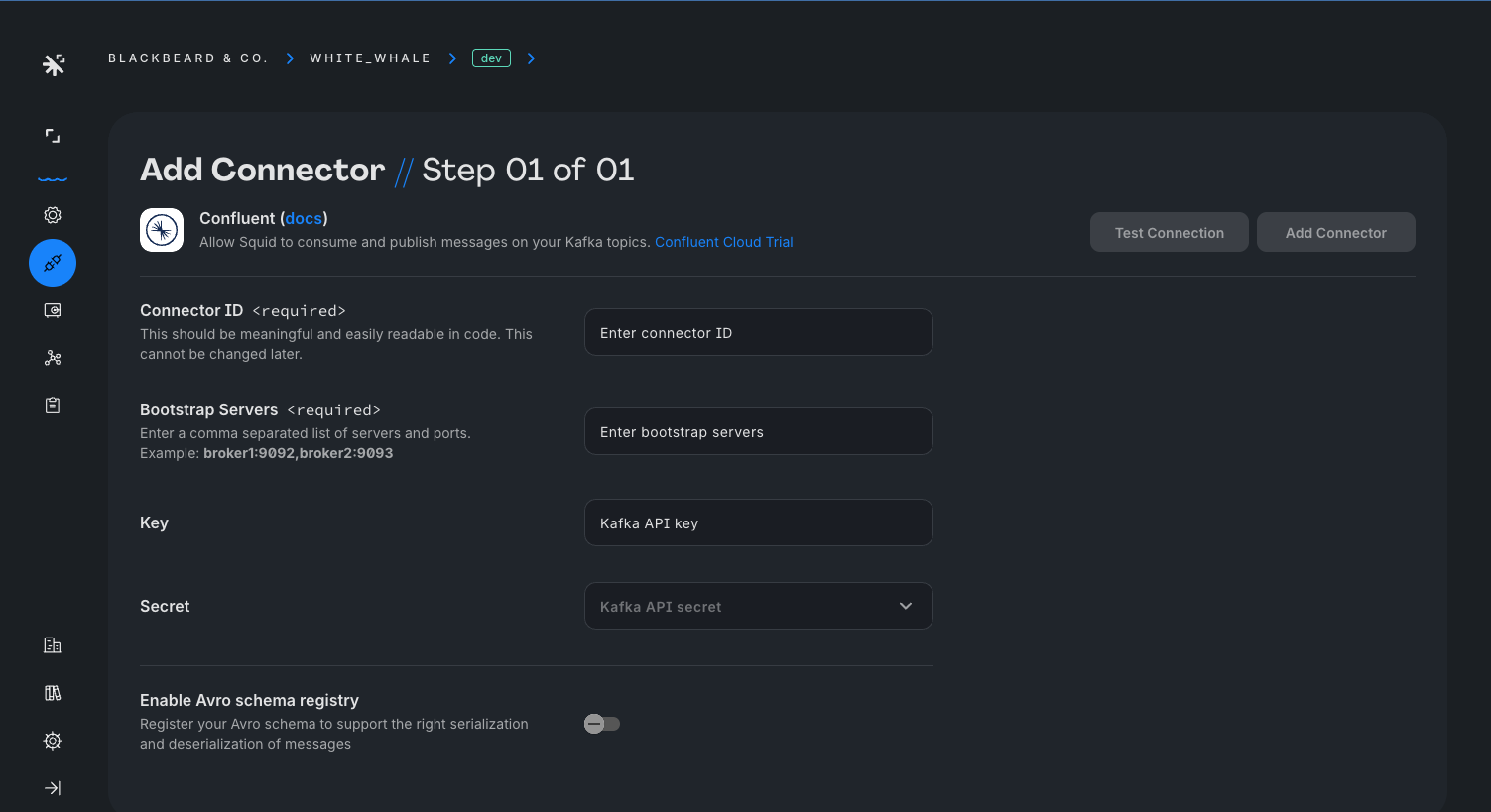
Provide the following details:
- Connector ID - Choose an ID that is brief and helps identify the connector.
- Bootstrap servers - A comma-separated list of servers and ports. You can find this value in your cluster settings.
- Key - Your Kafka API Key. Click on your cluster and then click your API Keys to find existing keys or create a new one.
- Secret - Your Kafka API secret. This is securely stored in Squid Secrets.
- Avro schema registry - In the case that you would like to consume or produce Avro messages, provide the URL of your Avro schema registry. You can find this value in your cluster settings.
-
Click Test connection to verify the connector information. Once verified, click Add connector.
To access the queue from the client, create a reference to a QueueManager using queue and passing the topic name and connector ID:
const queue = squid.queue('topic-name', 'confluent-connector-id');
To read messages from a queue, use the consume method. This returns an observable that updates whenever a new message is posted to the queue.
const topicMessagesObs = queue.consume<MyType>();

topicMessagesObs.subscribe((message: MyType) => {
  console.log(message);
});
When you subscribe to a topic, the observable you receive is configured to only include messages produced after the subscription is established. This behavior is due to the subscription process involving a server call, which introduces an approximate delay of ~100ms. Therefore, you can expect a short wait before the observable starts delivering new messages.
To prevent memory leaks, complete your observable when no longer in use:
topicMessagesObs.unsubscribe();
To add messages to a queue, use the produce method. This method takes an array of messages that are then consumed by clients subscribed to the queue.
queue.produce(['hello', 'world']);
Securing your Confluent topics
Accessing your Confluent topics on the client requires security functions.
To secure a Squid queue topic, use the @secureTopic decorator, passing the topic name and the type of action. The following code allows read and write access to a queue for the 'topic-name' topic:
import { SquidService, secureTopic } from '@squidcloud/backend';

export class ExampleService extends SquidService {
  @secureTopic('topic-name', 'all', 'confluent-connector-id')
  allowTopicAccess(): boolean {
    return true;
  }
}
To learn more about security functions, see the queue security docs.