Firebase Auth と Squid
Firebase Authentication を使用して Squid app を保護します
構築するもの
- Firebase Authentication を使用して app auth を処理する full-stack application。
- Firebase Authentication token に基づいて database access を authorize する Squid backend。
学ぶこと
- Firebase Auth を Squid と統合して resource への access を管理する方法。
必要なもの
- Squid app。Squid Console で新しい app を作成できます。
- Firebase app。Firebase Console で app を作成するか、既存 app を確認できます。
- TypeScript の経験が必要です。React の経験があると役立ちますが、必須ではありません。
Environment のセットアップ
- In the Squid Console, switch to the
devenvironment.
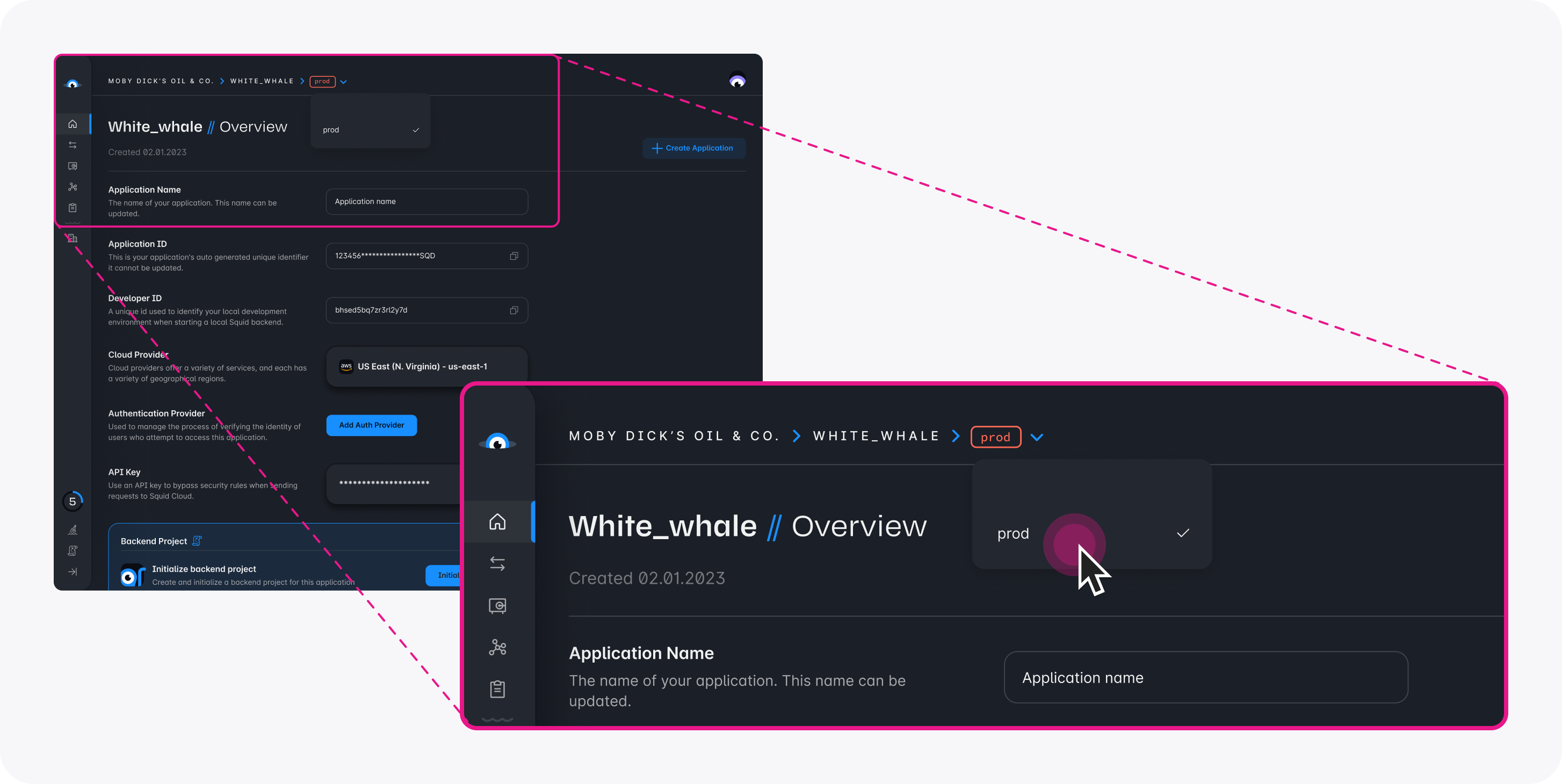
Download the firebase-authentication code sample using the following command. Replace the placeholders with the values from your Squid application as shown in the console.
npx @squidcloud/cli init-sample firebase-authentication --template firebase-authentication --appId YOUR_SQUID_APP_ID --apiKey YOUR_SQUID_API_KEY --environmentId dev --squidDeveloperId YOUR_SQUID_DEVELOPER_ID --region YOUR_REGION
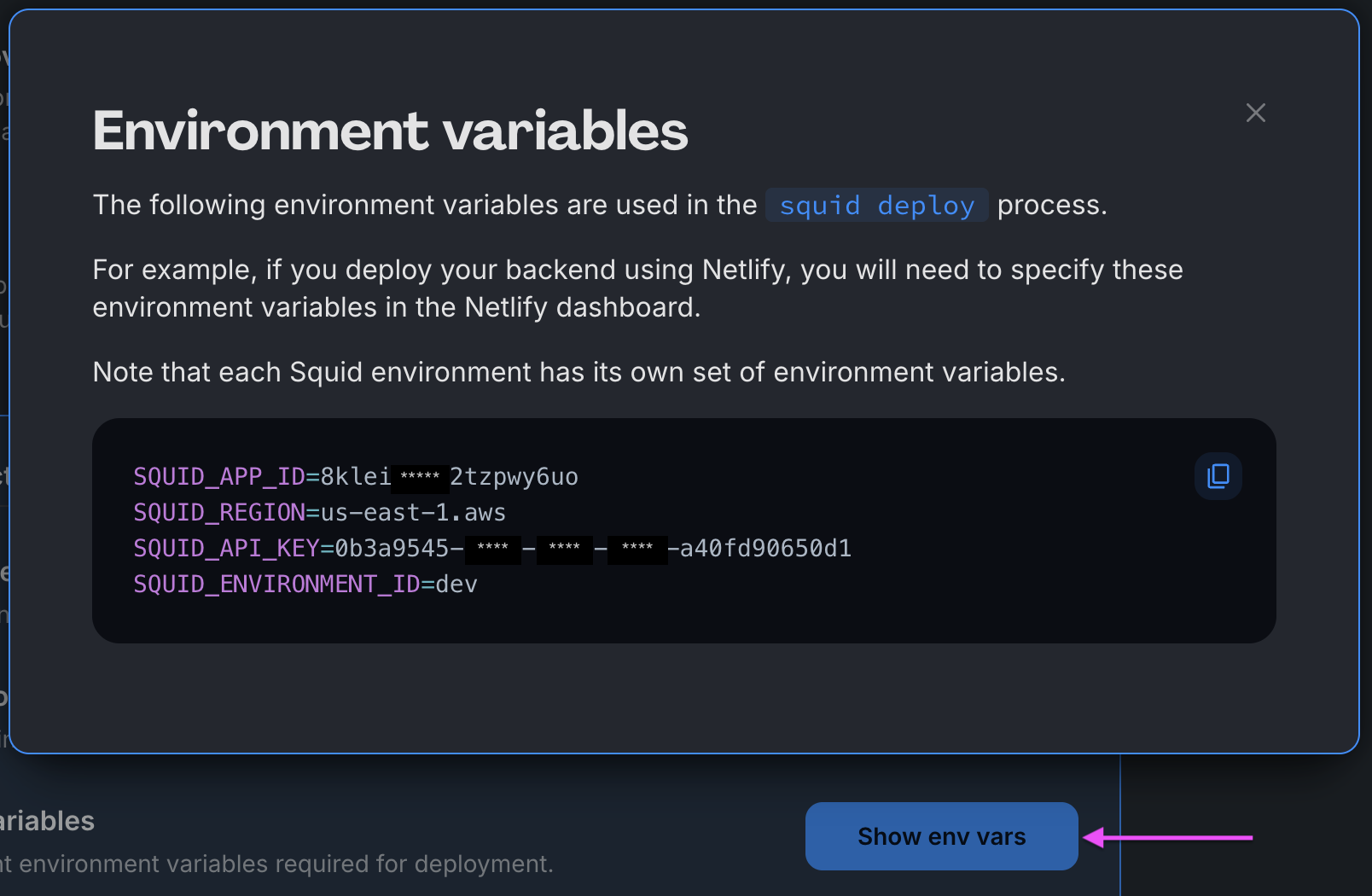
You can find your environment variables under: 'Application' -> 'Show env vars' as seen below:
- Open the project in the IDE of your choice.
- Start the app locally by running the following command in the project folder:
npm run start
- To view the app, navigate to localhost:PORT, where PORT is logged in the terminal. The address will likely be
http://localhost:5173.
Firebase Authentication integration を追加する
-
Squid Console で、Integrations tab をクリックします。
-
Available integrations tab から Firebase Authentication を選択します。
-
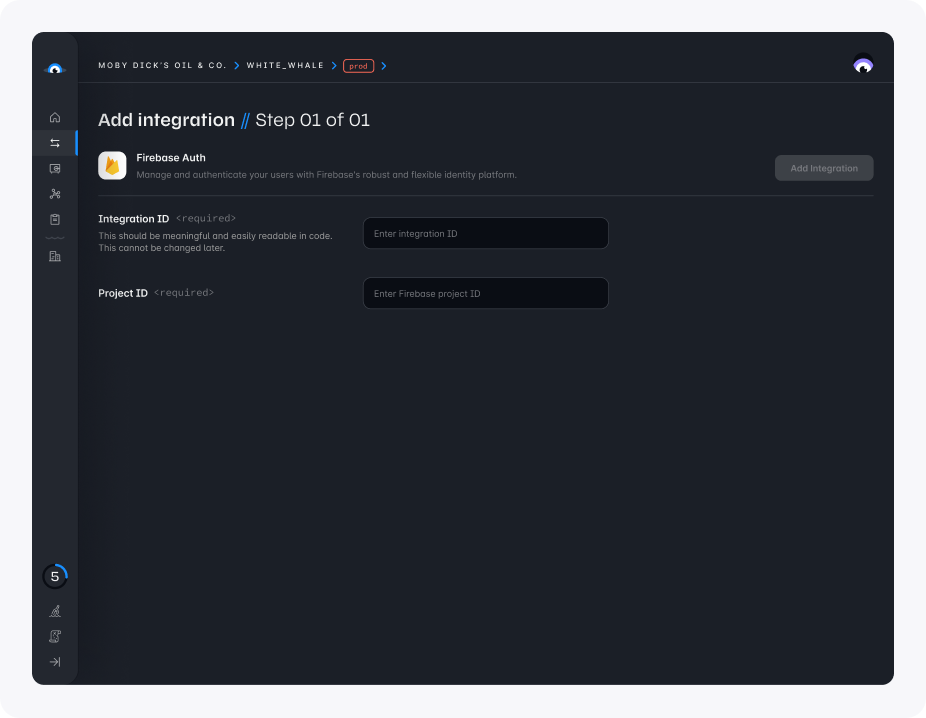
次の detail を入力します。
- Integration ID:
firebase-auth - Project ID: Firebase project の unique identifier です。Firebase Console で project ID を確認できます。
- Add integration をクリックします。
Firebase Authentication integration を追加したら、app で Firebase Authentication を Squid とともに使用する方法について、authentication documentation を確認してください。
react-firebase-hooks は Firebase により maintain されていない third-party package です。この package を使用しないこともできますが、auth token を最新に保つ observability を処理する独自 code を記述・maintain する必要があります。
Firebase を初期化する
sample app では、frontend の src directory にある firebase.ts file に移動します。placeholder を Firebase app の情報で update します。
// Import the functions you need from the SDKs you need
import { initializeApp } from 'firebase/app';
import { getAuth } from 'firebase/auth';

// TODO: Add SDKs for other Firebase products that you want to use
// https://firebase.google.com/docs/web/setup#available-libraries
// Your web app's Firebase configuration

const firebaseConfig = {
  apiKey: 'YOUR_FIREBASE_API-KEY',
  authDomain: 'YOUR_FIREBASE_PROJECT_ID.firebaseapp.com',
  projectId: 'YOUR_FIREBASE_PROJECT_ID',
  appId: 'YOUR_FIREBASE_APP_ID',
};

// Initialize Firebase
const firebaseApp = initializeApp(firebaseConfig);
export const auth = getAuth(firebaseApp);
export default firebaseApp;
configuration が完了したら、Firebase Authentication を使用して sample app に login できます。auth token は Squid backend に渡され、resource への access を管理します。data の保護に関する詳細については、[security rules documentation](/docs/security/authentication/firebase/.