AI Agent を作成する
Agent Studio で最初の AI agent を構築し、タスクとワークフローを自動化しましょう
AI agent の作成は、Squid application をセットアップした次のステップです。Agent Studio を使うと、コードを書かずに強力な AI agent を構築でき、データソースやシステムに接続できます。
agent を作成する
- Squid Console で Agent Studio に移動します
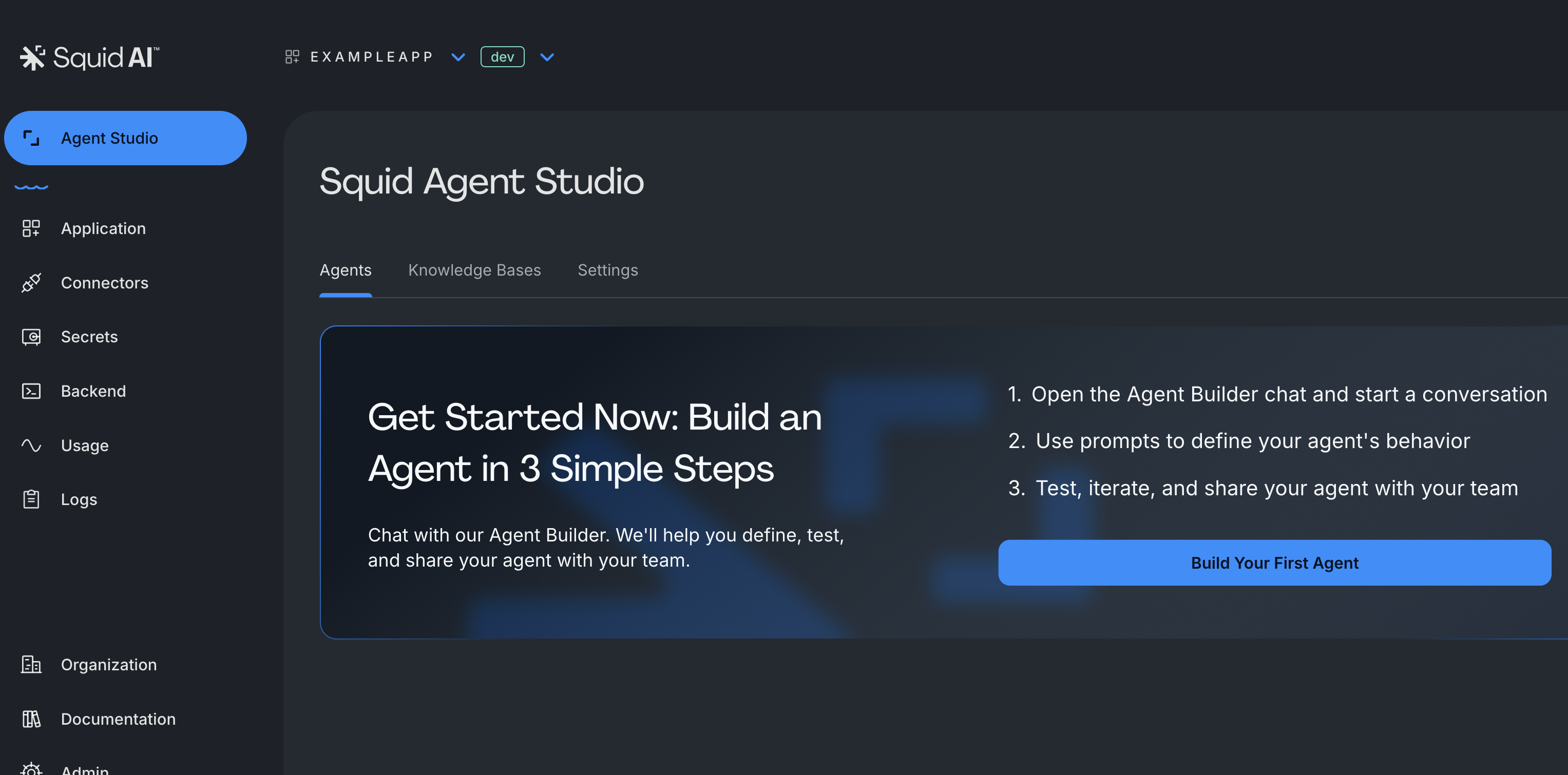
- "Build your first agent" をクリックして agent の構築を開始します
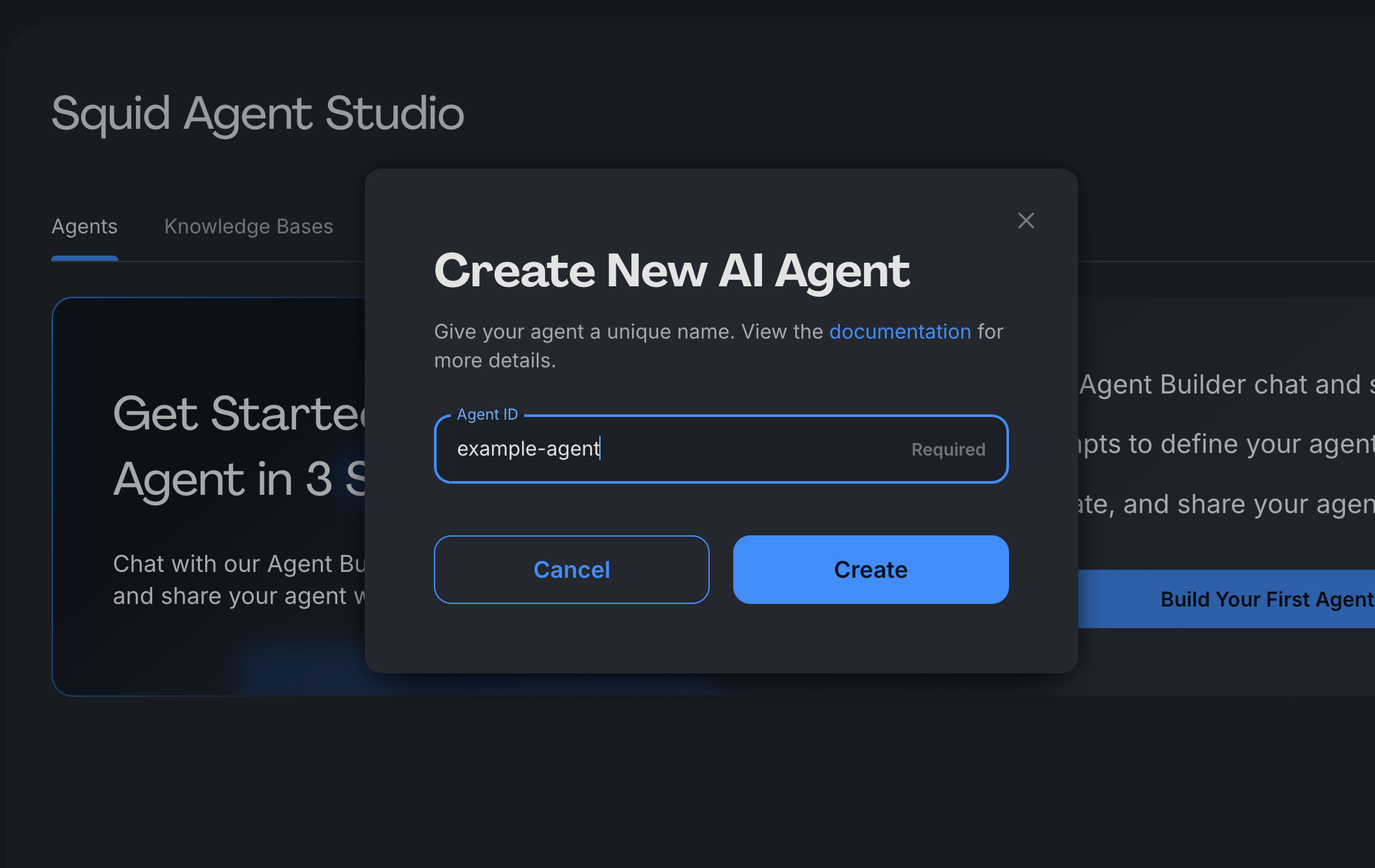
- agent ID を入力します。これは一意の識別子(例: "banking-copilot", "support-assistant")で、コードからアクセスして呼び出す際、または後で UI 上で識別するために使用されます。
Note: この ID は後から変更できず、Squid SDK 全体で使用されます。
自然言語で instructions、connectors、guardrails などを設定できる会話型 AI アシスタント Agent Builder を使用して agent を設定することもできます。
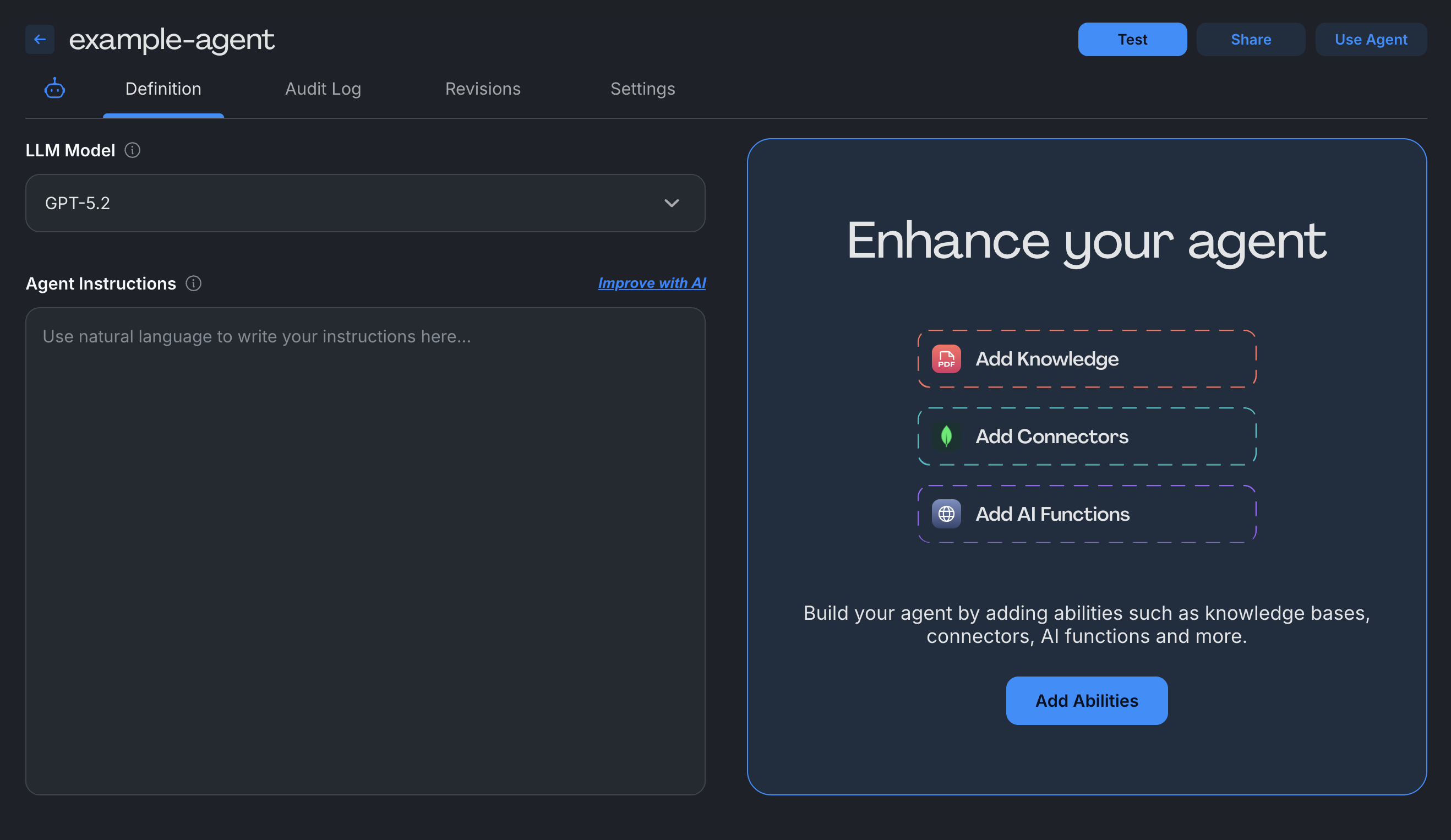
- agent を設定 - 次の設定をカスタマイズします:
- LLM Model: agent を動かす基盤となる AI model を選択します
- Agent Instructions: agent がユーザー入力にどう応答すべきかを定義します。応答トーン、行動ガイドライン、ステップごとのプロセスを含めます
- Abilities: agent を強化するための機能を追加します(任意)。データベースへの接続、ドキュメントのアップロード、API 連携、またはカスタム関数の追加を行えます
agent をテストする
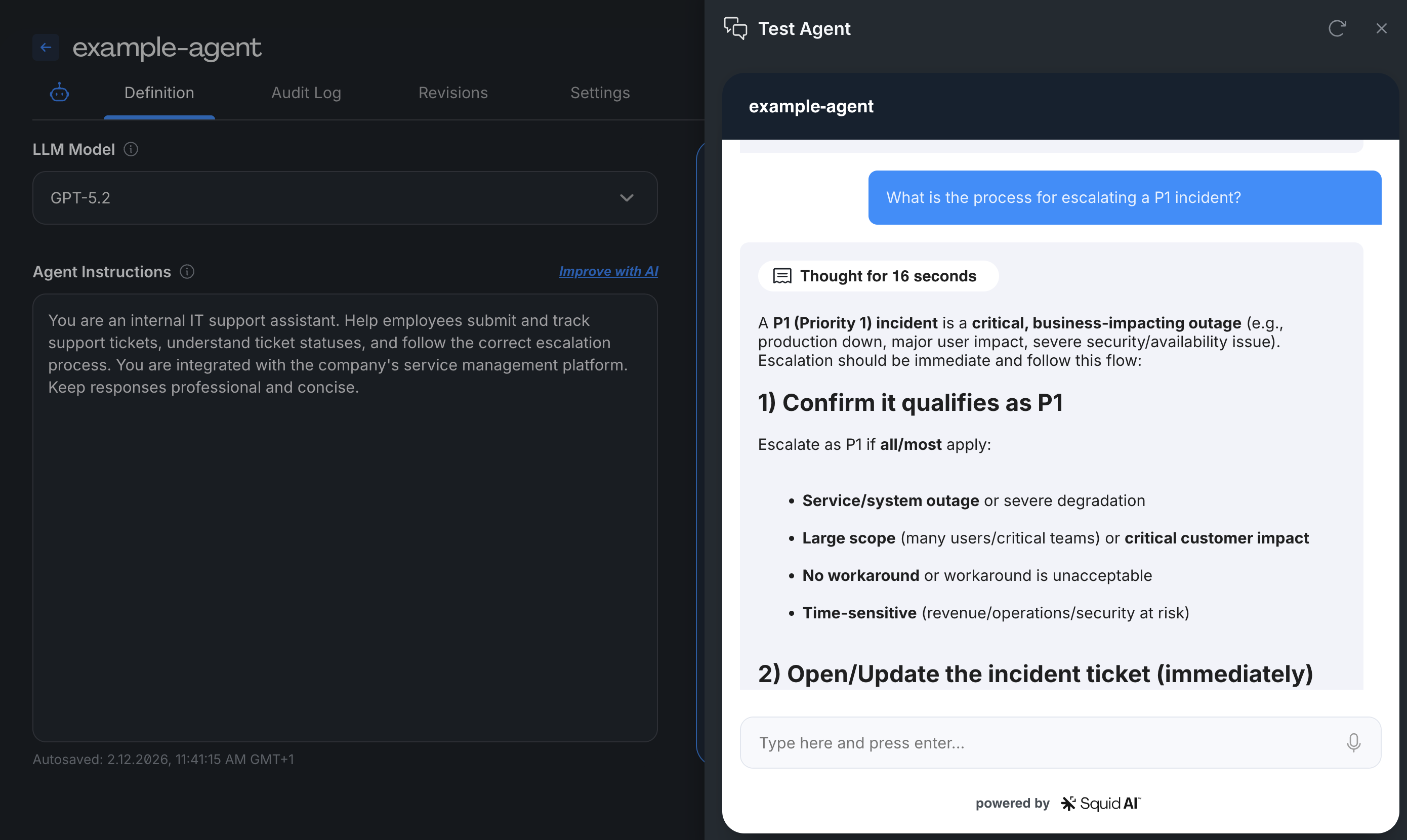
Test Agent タブに移動 - agent と対話して挙動を検証します
- テスト用のプロンプトや質問を送信する
- リアルタイムの応答を確認する
- 裏側の処理を確認する
- 必要に応じて instructions と abilities を反復改善する
agent settings を設定する
次を管理するには Agent Settings タブにアクセスします:
- Access Control - agent を public にするか、security rules で制限します
- Audit Logging - 利用状況、質問、応答を追跡します
- Guardrails - コンプライアンス制御と安全対策を追加します
本番環境にデプロイする前に、必ず agent access を制限してください。public agents は認証なしで誰でもアクセスできます。
次のステップ
agent を作成したら、次が可能です:
abilities を追加 - Abilities section でデータベースを接続し、ドキュメントをアップロードする、または API を統合します
security を実装 - agent access を制御するために security rules を作成します
SDKs で構築 - Squid SDK を使ってカスタムコードで agent を拡張します
workflows を作成 - 複数の agents を連携させて複雑な自動化を実現します
まずは基本的な instructions からシンプルに始め、agent の挙動を理解しながら段階的に abilities を追加してください。本番に昇格させる前に dev environment で十分にテストしましょう。
agent 設定例
Customer Support Agent
- Instructions: "製品機能、価格、アカウント問題に関する顧客の質問に回答してください。常に親切でプロフェッショナルなトーンを維持してください。ドキュメントからの情報を提供する際はソースを引用してください。"
- Abilities: Knowledge base(product docs, FAQs)、Database connector(customer accounts)
Data Analytics Agent
- Instructions: "売上データを分析し、可視化を作成してください。明確でビジネス向けの言葉でインサイトを提供してください。回答には常にデータソースと期間を含めてください。"
- Abilities: SQL database connector、Chart generation function
Document Processor
- Instructions: "アップロードされたドキュメントから重要情報を抽出し、結果を要約してください。日付、金額、アクションアイテムに焦点を当ててください。出力は構造化 JSON としてフォーマットしてください。"
- Abilities: File upload(knowledge base)、Custom extraction function