Create an AI Agent
Build your first AI agent in Agent Studio to automate tasks and workflows
Creating an AI agent is the next step after setting up your Squid application. Agent Studio allows you to build powerful AI agents without writing code, connecting them to your data sources and systems.
Create an agent
- Navigate to Agent Studio in the Squid Console
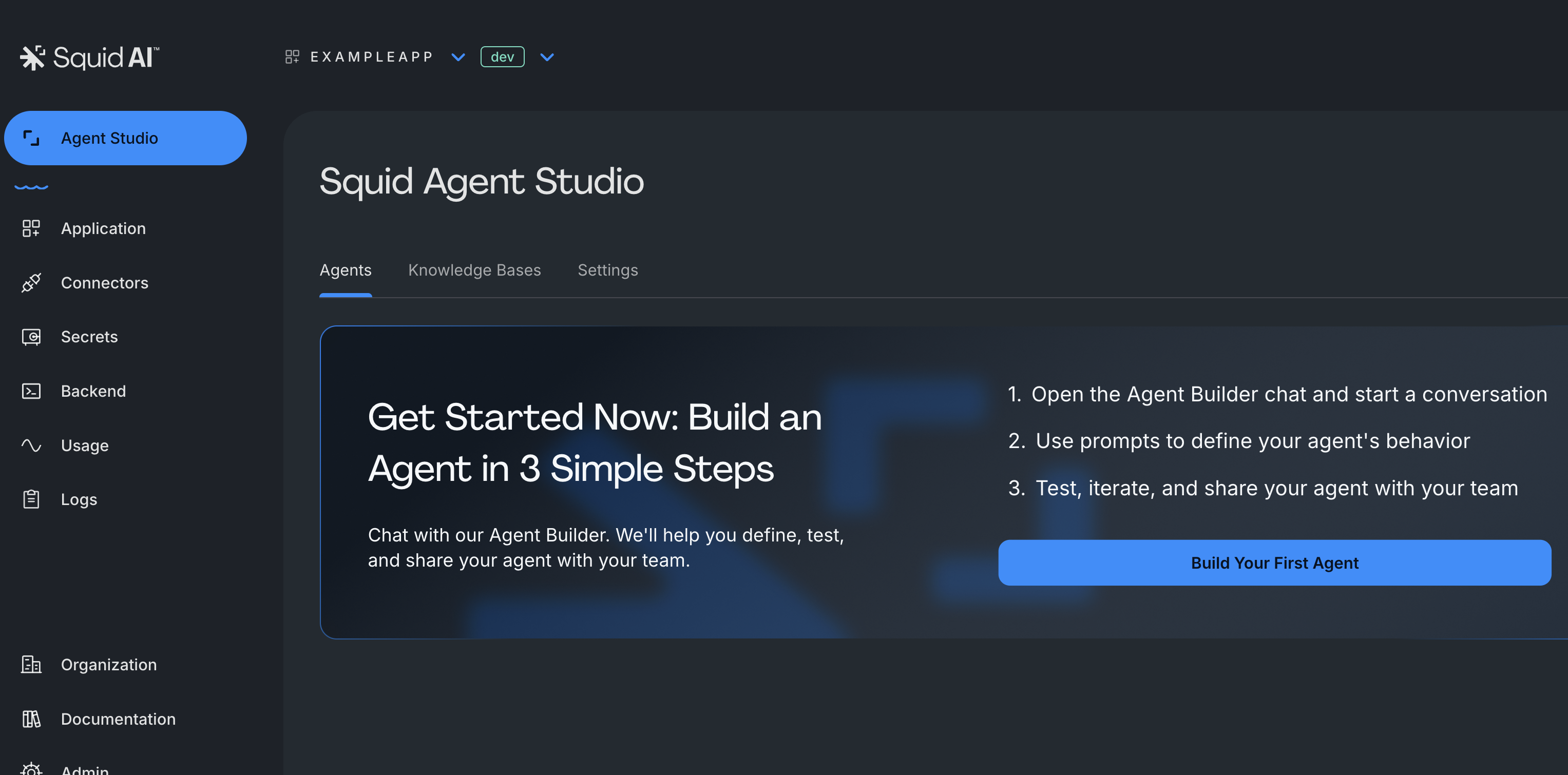
- Click "Build your first agent" to start building your agent
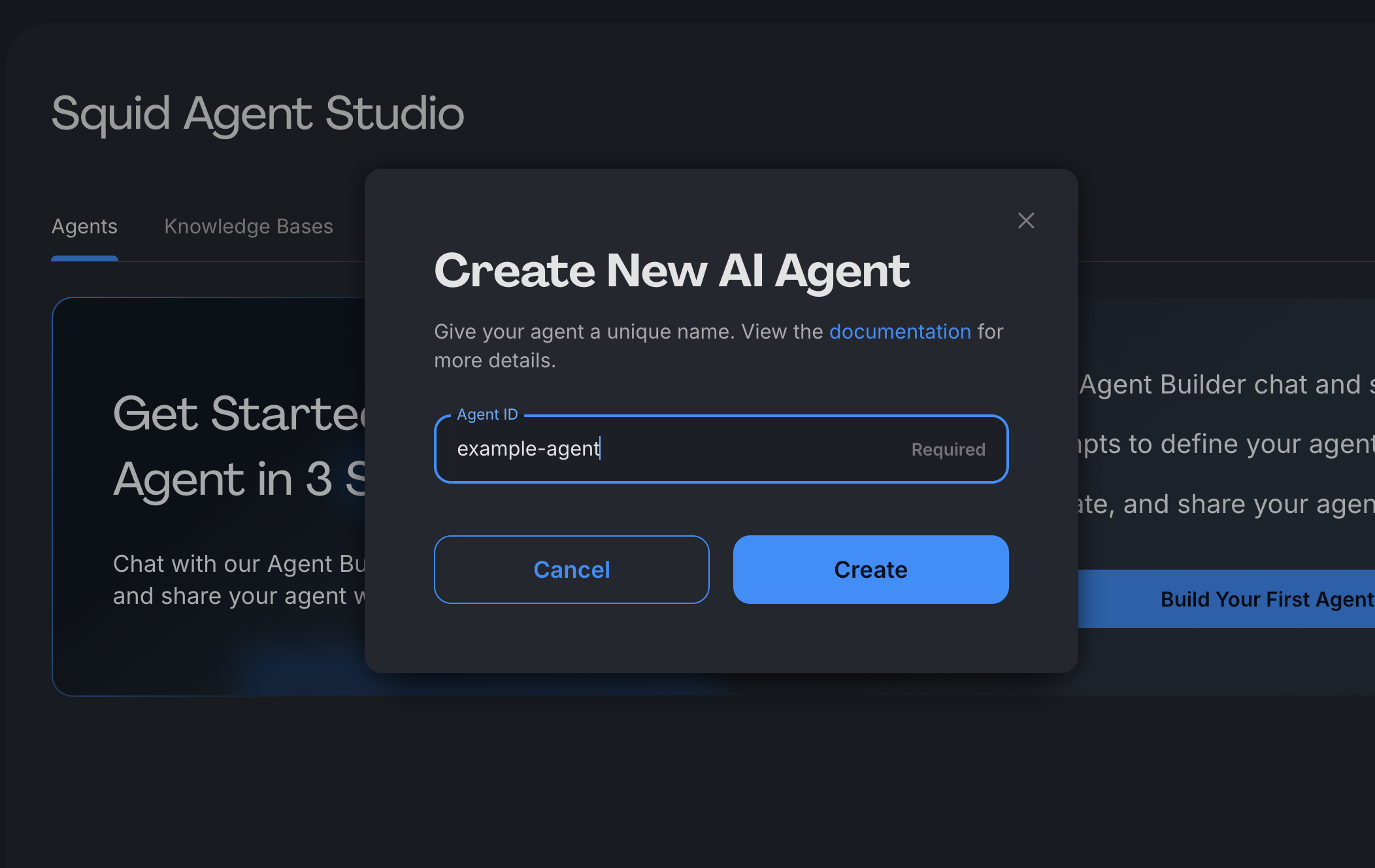
- Provide an agent ID. It is a unique identifier (e.g., "banking-copilot", "support-assistant") that will be used to access and call it from code, or identify it later in the UI.
Note: This ID cannot be changed later and is used across the Squid SDK.
You can also configure your agent using the Agent Builder, a conversational AI assistant that lets you set up instructions, connectors, guardrails, and more through natural language.
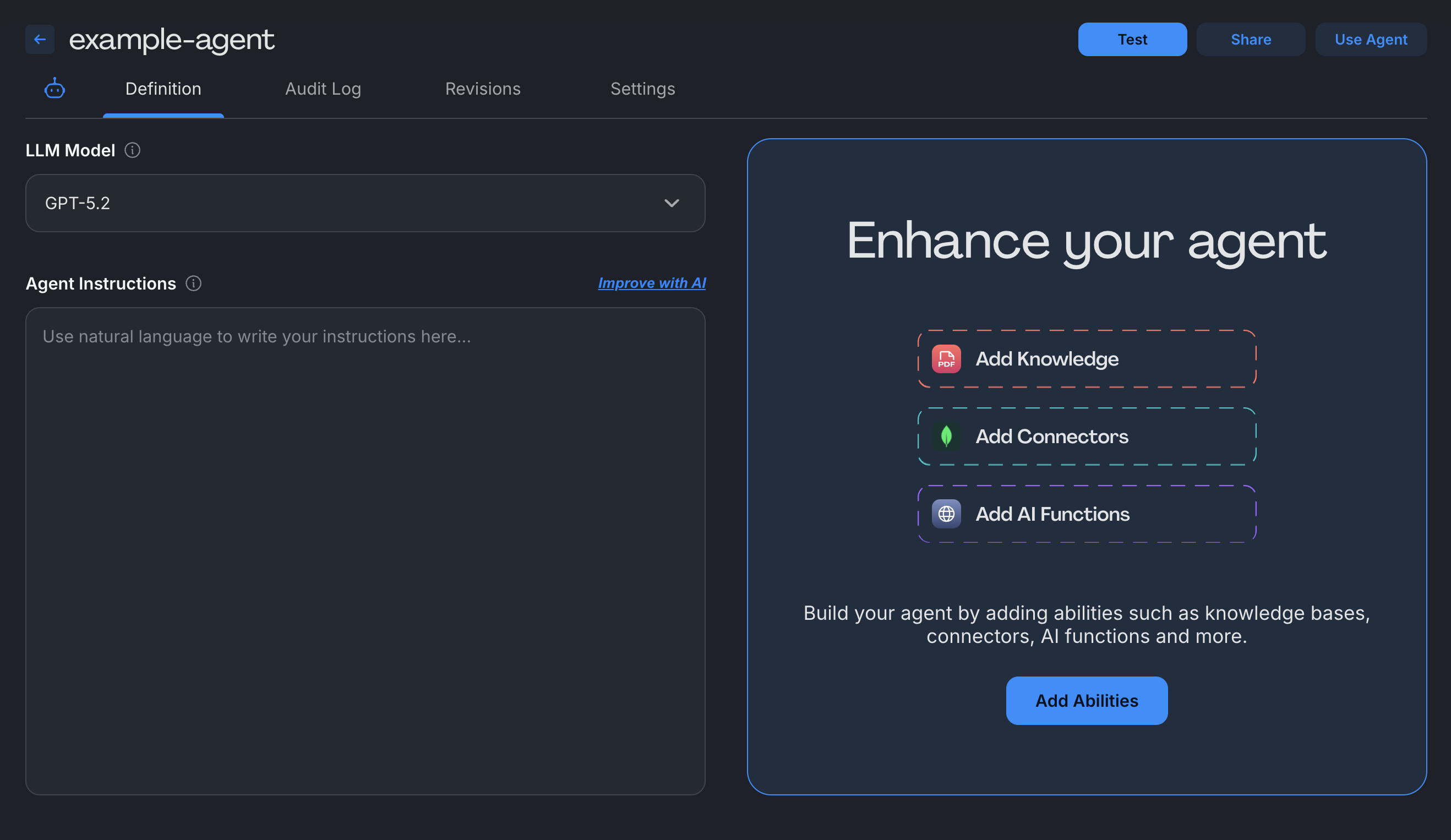
- Configure your agent - Customize the following settings:
- LLM Model: Choose the underlying AI model that powers your agent
- Agent Instructions: Define how your agent should respond to user input. Include response tone, behavioral guidelines, and step-by-step processes
- Abilities: Add capabilities to enhance your agent (optional). Connect databases, upload documents, integrate APIs, or add custom functions
Test your agent
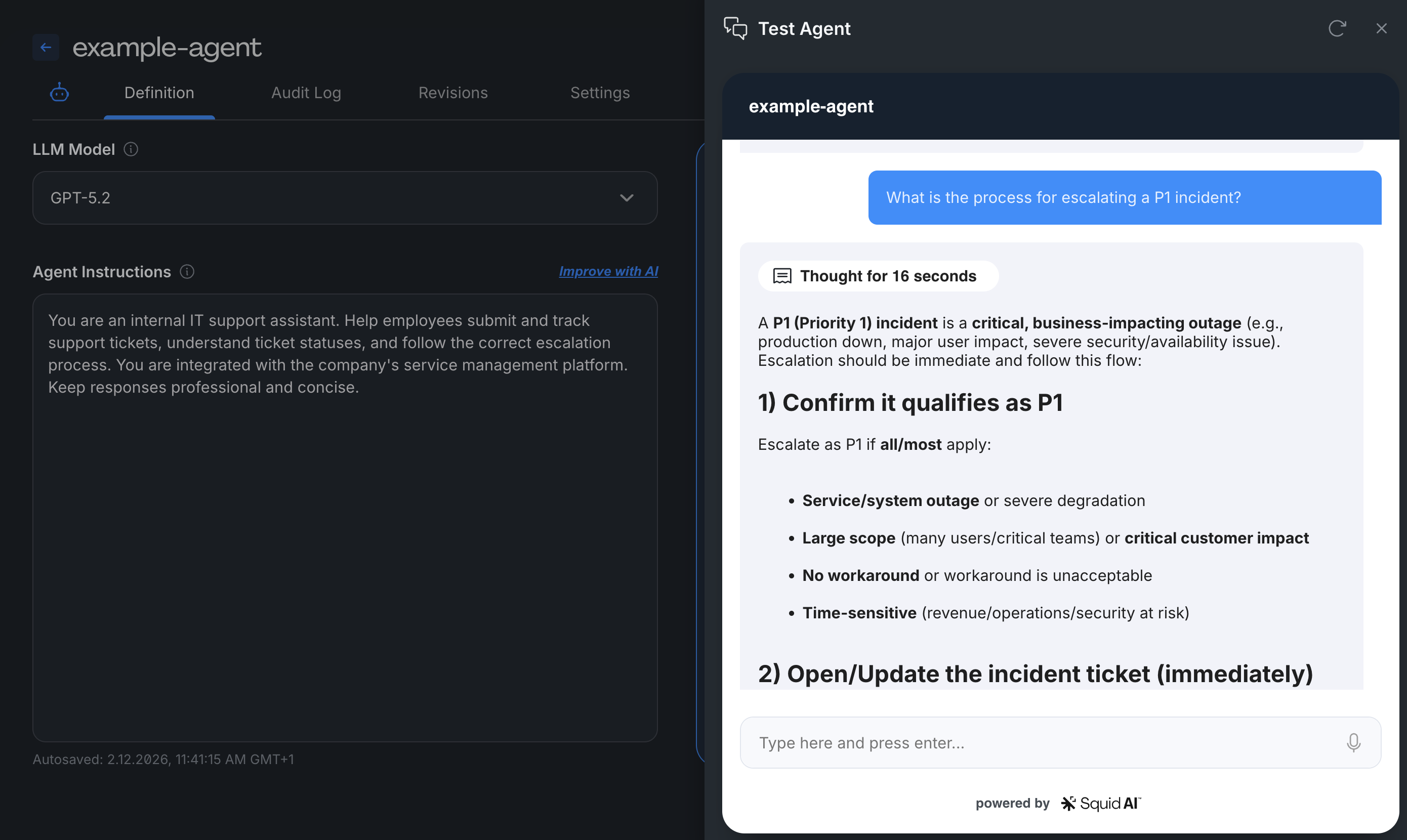
Navigate to the Test Agent tab - Interact with your agent to validate behavior
- Send test prompts and questions
- View real-time responses
- See behind-the-scenes processing
- Iterate on instructions and abilities as needed
Configure agent settings
Access the Agent Settings tab to manage:
- Access Control - Set agent to public or restrict with security rules
- Audit Logging - Track usage, questions, and responses
- Guardrails - Add compliance controls and safety measures
Always restrict agent access before deploying to production. Public agents can be accessed by anyone without authentication.
Next steps
After creating your agent, you can:
Add abilities - Connect databases, upload documents, or integrate APIs in the Abilities section
Implement security - Create security rules to control agent access
Build with SDKs - Extend your agent with custom code using the Squid SDK
Create workflows - Chain multiple agents together for complex automation
Start simple with basic instructions, then gradually add abilities as you understand your agent's behavior. Test thoroughly in the dev environment before promoting to production.
Example agent configurations
Customer Support Agent
- Instructions: "Respond to customer questions about product features, pricing, and account issues. Always maintain a helpful, professional tone. Cite sources when providing information from documentation."
- Abilities: Knowledge base (product docs, FAQs), Database connector (customer accounts)
Data Analytics Agent
- Instructions: "Analyze sales data and create visualizations. Provide insights in clear, business-friendly language. Always include data sources and time periods in your responses."
- Abilities: SQL database connector, Chart generation function
Document Processor
- Instructions: "Extract key information from uploaded documents and summarize findings. Focus on dates, amounts, and action items. Format output as structured JSON."
- Abilities: File upload (knowledge base), Custom extraction function