AI Agent を作成する
Agent Studio で初めての AI agent を構築し、task と workflow を自動化します
AI agent の作成は、Squid application の setup の次の step です。Agent Studio では、code を記述せずに powerful な AI agent を構築し、data source や system に接続できます。
Agent を作成する
- Squid Console の Agent Studio に移動します。
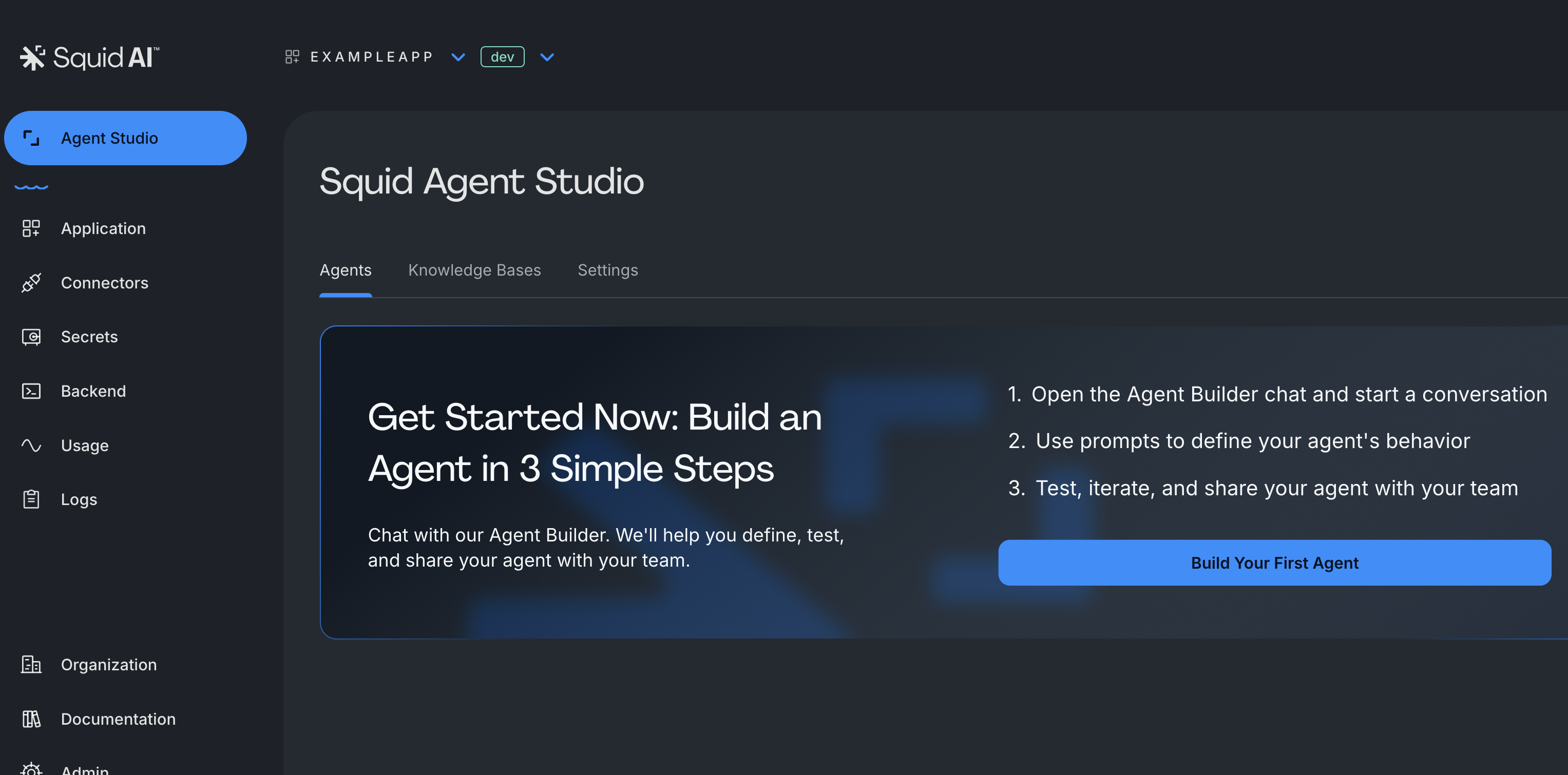
- "Build your first agent" をクリックして agent の構築を開始します
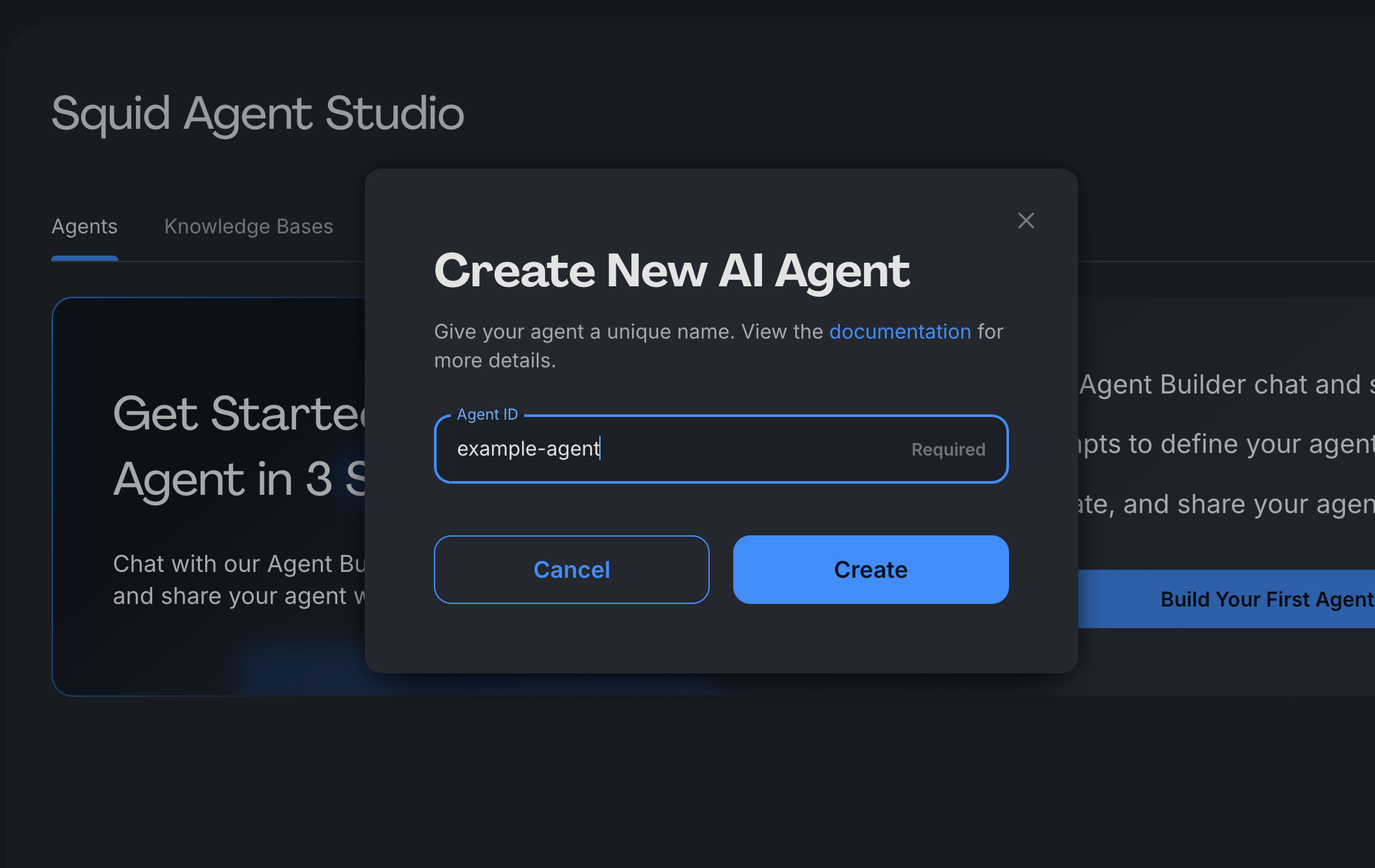
- agent ID を指定します。これは unique identifier(例:
"banking-copilot"、"support-assistant")であり、code から agent に access・call する場合や、後で UI で識別する場合に使用します。
注記: この ID は後から変更できず、Squid SDK 全体で使用されます。
Agent Builderを使用して agent を構成することもできます。これは conversational AI assistant であり、natural language を通じて instruction、connector、guardrail などを setup できます。
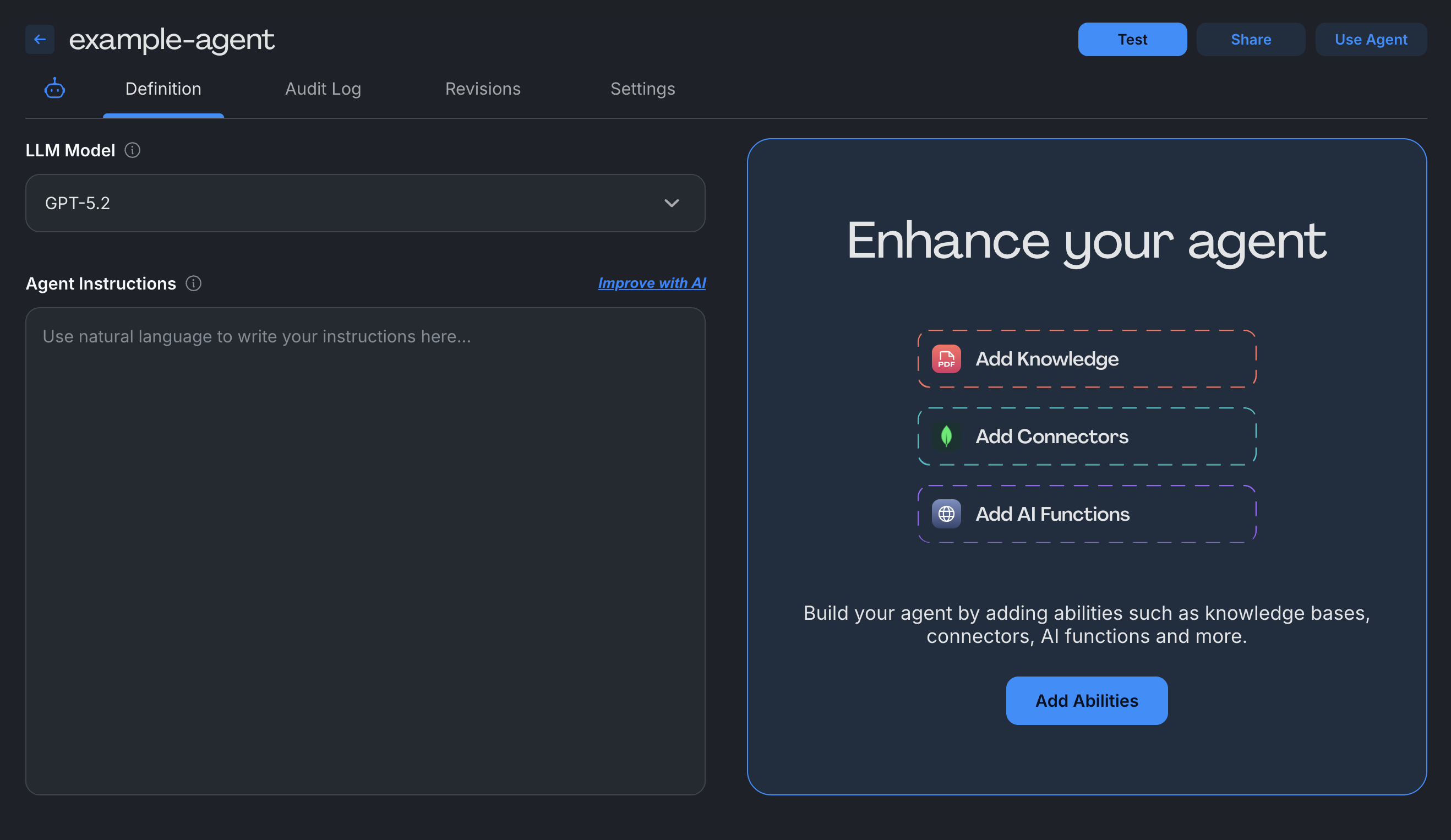
- agent を構成する - 次の setting を customize します。
- LLM Model: agent を動かす基盤 AI model を選択します
- Agent Instructions: agent が user input にどのように response すべきかを定義します。response tone、behavioral guideline、step-by-step process を含めます
- Abilities: agent を強化する capability を追加します(optional)。database の接続、document の upload、API の integration、custom function の追加を行えます
Agent をテストする
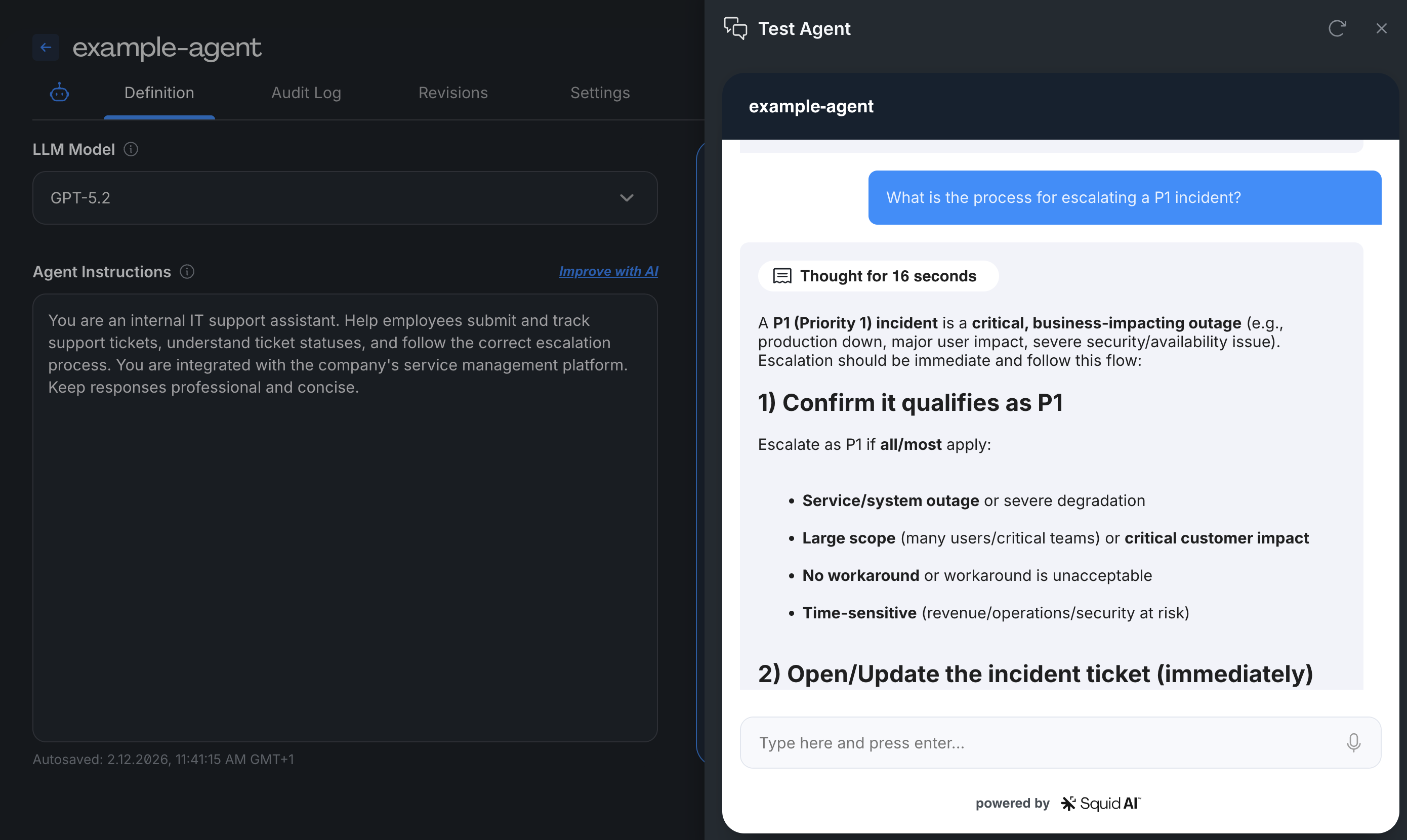
Test Agent tab に移動 - agent と interaction して behavior を validate します
- test prompt と question を送信する
- real-time response を表示する
- behind-the-scenes processing を確認する
- 必要に応じて instruction と ability を反復的に改善する
Agent Settings を構成する
Agent Settings tab に accessして、以下を管理します。
- Access Control - agent を public に設定するか、security rule で制限する
- Audit Logging - usage、question、response を追跡する
- Guardrails - compliance control と safety measure を追加する
production に deploy する前に、必ず agent access を制限してください。public agent には authentication なしで誰でも access できます。
次のステップ
agent を作成した後、以下を実行できます。
ability を追加する - Abilities sectionで database の接続、document の upload、API の integration を行う
security を実装する - agent access を制御する security rule を作成する
SDK で構築する - Squid SDKを使用した custom code で agent を拡張する
workflow を作成する - 複数 agent を chain し、complex automation を実現する
まず基本的な instruction から開始し、agent の behavior を理解するにつれて段階的に ability を追加してください。production に promote する前に dev environment で十分に test してください。
Agent Configuration の例
Customer Support Agent
- Instructions: 「product feature、pricing、account issue に関する customer question に response します。常に helpful で professional な tone を維持します。documentation の情報を提供する場合は source を cite します。」
- Abilities: Knowledge base(product docs、FAQ)、Database connector(customer account)
Data Analytics Agent
- Instructions: 「sales data を analyze し、visualization を作成します。clear で business-friendly な language で insight を提供します。response には常に data source と time period を含めます。」
- Abilities: SQL database connector、Chart generation function
Document Processor
- Instructions: 「upload された document から key information を抽出し、finding を summarize します。date、amount、action item に focus します。output は structured JSON として format します。」
- Abilities: File upload(knowledge base)、Custom extraction function